
Guides#
Welcome to MUFASA’s guides. To get started or to learn from tutorials, please see Quick Start and Tutorials.
Preinstalled Cloud Access:#
For the astrophysics community, MUFASA is available preinstalled on the CANFAR Science Portal via docker containers. Interactive container sessions are accessible by browser-based Jupyter Lab interface, which also supports a Unix terminal and direct upload/download interfaces. To request an account and get started with the Science Portal, please see CANFAR’s documentation page.
To launch a MUFASA notebook container session:
Sign onto the Science Portal
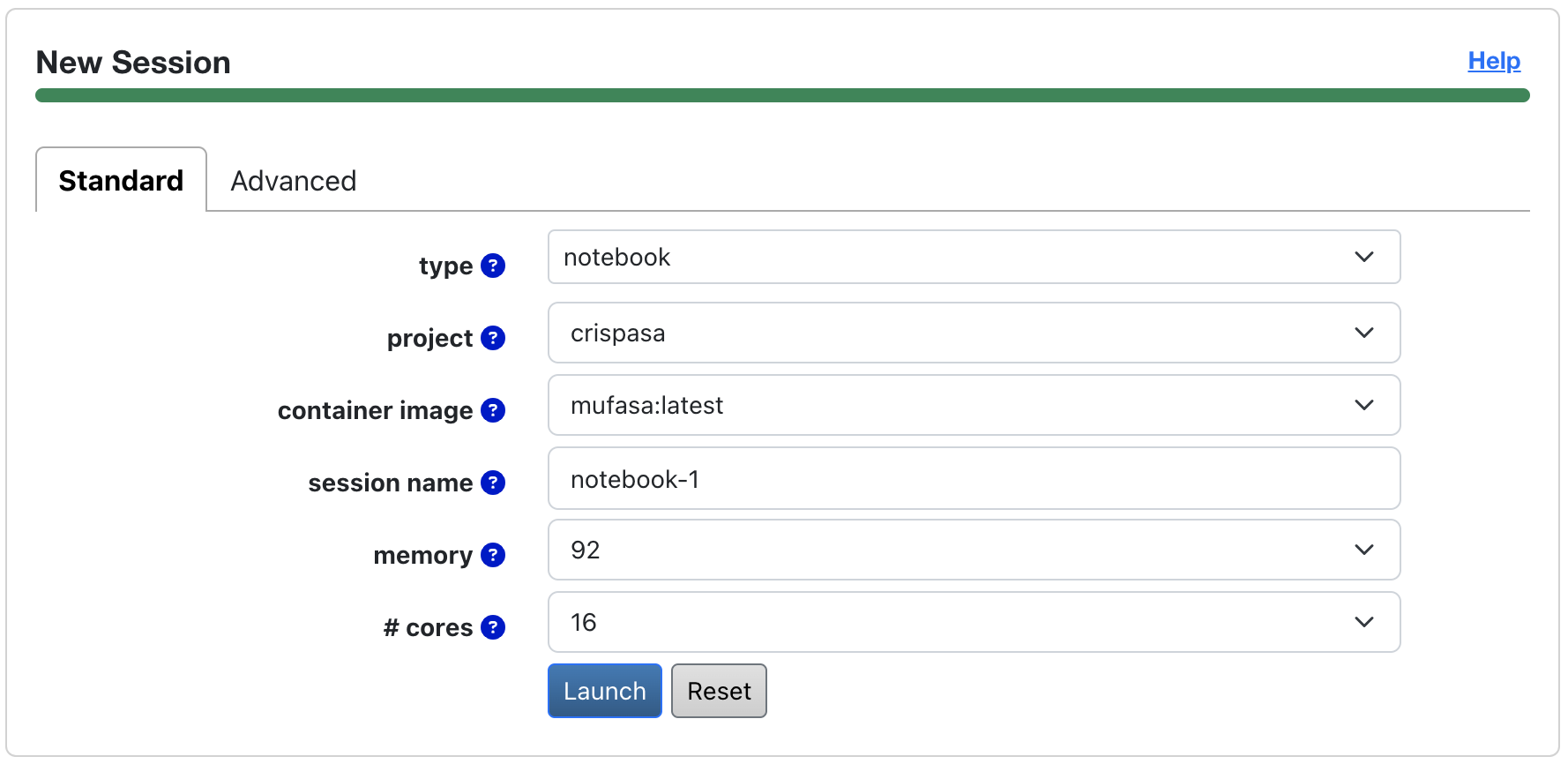
Navigate to the ‘’New Session’’ panel (see image below for an example)
Select ‘’notebook’’ for a session
Select ‘’crispasa’’ under ‘’project’’
Select a version of preinstalled MUFASA before launching a session
Note
When requesting memory with the Science Portal, pick a value that’s about 20 times the size of your image cube.
Data Products#
Fitted models#
MUFASA’s data products include fitted parameter maps and images derived from the best-fit model images, such as the model moment map. For more details, please see the Outputs Section.
Metadata#
The MUFASA version that produced a data product, as well as the time the product was written, are recorded in the product’s FITS header under ‘HISTORY’.
Contributing#
Contributing to MUFASA is most welcome! The main areas for improvement are:
Adding new molecular spectral models (e.g., CO, HCN)
Implementing a three-component fit pipeline
Perform quantitative tests on MUFASA’s performance with different spectral models
The first step to contributing is by joining a GitHub discussion on your topic of interest or starting a new issue. Conversations on how to contribute will proceed from there.
Custom Usage & Pipeline#
For guides on advanced custom usage for MUFASA please see Custom Usage.
Reference Materials#
For detailed information on all available modules, classes, and methods, please refer to API Reference.